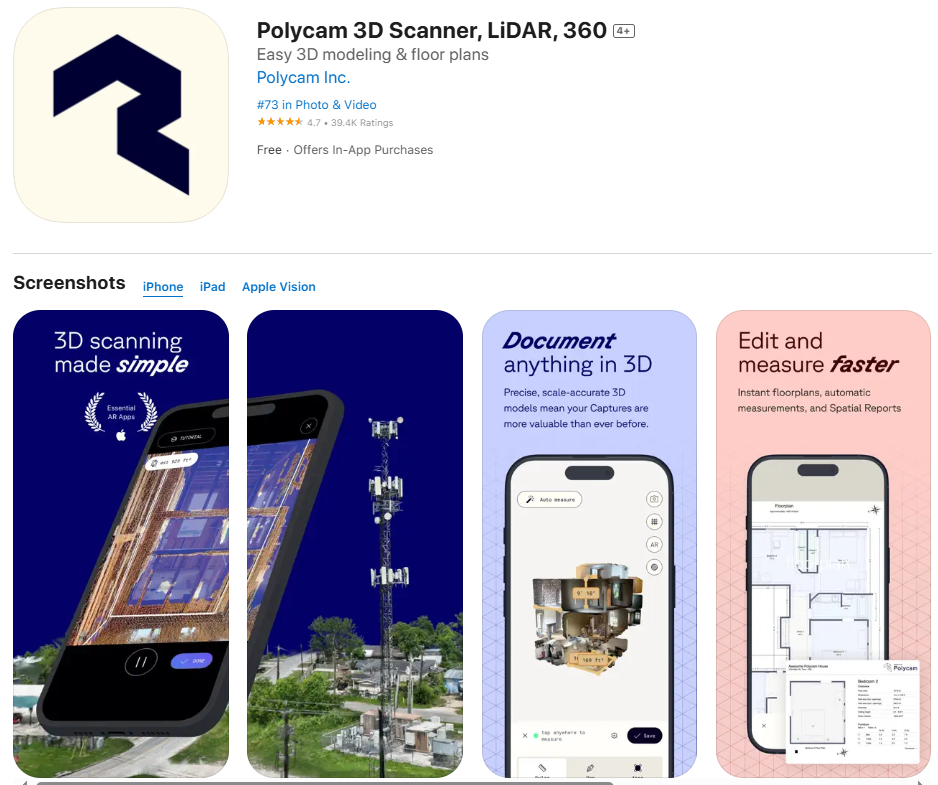
3D scanning is no longer a futuristic concept — it’s now available right in your pocket, thanks to apps like Polycam and the power of the LiDAR sensor on supported iPhones and iPads. At Tech Temple, we dive deep into how the Polycam app works, how LiDAR boosts its performance, and why it’s becoming a must-have tool for creatives, professionals, and tech enthusiasts.
What is Polycam?
Polycam is a powerful 3D scanning app available on iOS and Android that lets users create photorealistic 3D models of real-world objects and environments. Whether you’re scanning a room, furniture, architecture, or even outdoor landscapes, Polycam turns your smartphone into a high-precision 3D scanner.
But the magic happens when you pair it with LiDAR technology.
What is a LiDAR Sensor?
LiDAR stands for Light Detection and Ranging. It uses laser light to measure distances by bouncing beams off objects and calculating the return time. In Apple devices, the LiDAR sensor is located near the camera and helps build a real-time depth map of the environment.
Devices that Support LiDAR:
- iPhone 12 Pro / Pro Max
- iPhone 13 Pro / Pro Max
- iPhone 14 Pro / Pro Max
- iPhone 15 Pro / Pro Max
- iPad Pro (2020 and newer)
How Does Polycam Use the LiDAR Sensor?
When using Polycam on a LiDAR-enabled device, the app leverages depth data from the LiDAR sensor to create extremely accurate and detailed 3D models. This enables:
- Instant room scanning with real-world scale
- High-resolution depth mapping for complex surfaces
- Fast capture of 3D geometry and textures
- Improved AR performance for design and visualization
Key Features of Polycam (with LiDAR Support)
🔹 LiDAR Scan Mode
Capture depth data instantly and generate high-quality meshes of rooms, objects, or environments.
🔹 Photo Mode
Use your camera to capture detailed textures and stitch them into 3D models.
🔹 Export in Multiple Formats
Export your scans in formats like .OBJ, .GLTF, .FBX, and more — perfect for use in 3D design, game development, AR/VR, and architecture.
🔹 Measurements & Floor Plans
Polycam can automatically measure dimensions and even generate 2D floor plans from your LiDAR scan — ideal for real estate, remodeling, or construction planning.
Benefits of Using Polycam + LiDAR
- ✅ Professional-Grade 3D Scans
- ✅ Time-Saving Tool for Architects, Designers & Engineers
- ✅ Affordable 3D Scanning Without Expensive Equipment
- ✅ Portable & Easy to Use Anywhere
Real-World Use Cases
- Interior Design & Architecture – Quickly scan spaces to visualize layouts.
- Game Development – Import real-world assets into Unity or Unreal Engine.
- E-Commerce – Showcase 3D product views online.
- Art & Heritage Preservation – Digitally preserve sculptures, artifacts, or ancient sites.
Final Thoughts: Why Polycam and LiDAR Are Game Changers
The combination of the Polycam app and LiDAR sensor marks a huge leap in mobile 3D scanning technology. It democratizes access to high-end 3D modeling tools, enabling everyone from hobbyists to professionals to create, share, and export stunningly accurate 3D content.
If you’re using a LiDAR-equipped iPhone or iPad and haven’t tried Polycam yet — you’re missing out on one of the most powerful mobile tools available today.
Keywords Used:
- Polycam app
- LiDAR sensor on iPhone
- 3D scanning with iPhone
- LiDAR 3D models
- Polycam LiDAR tutorial
- Best LiDAR scanning app iOS
Stay Tuned with Tech Temple
For more tech tutorials, app reviews, and deep dives into the latest innovations, keep following Tech Temple — your ultimate source for everything tech!